Gridfinity Baseplate Generator
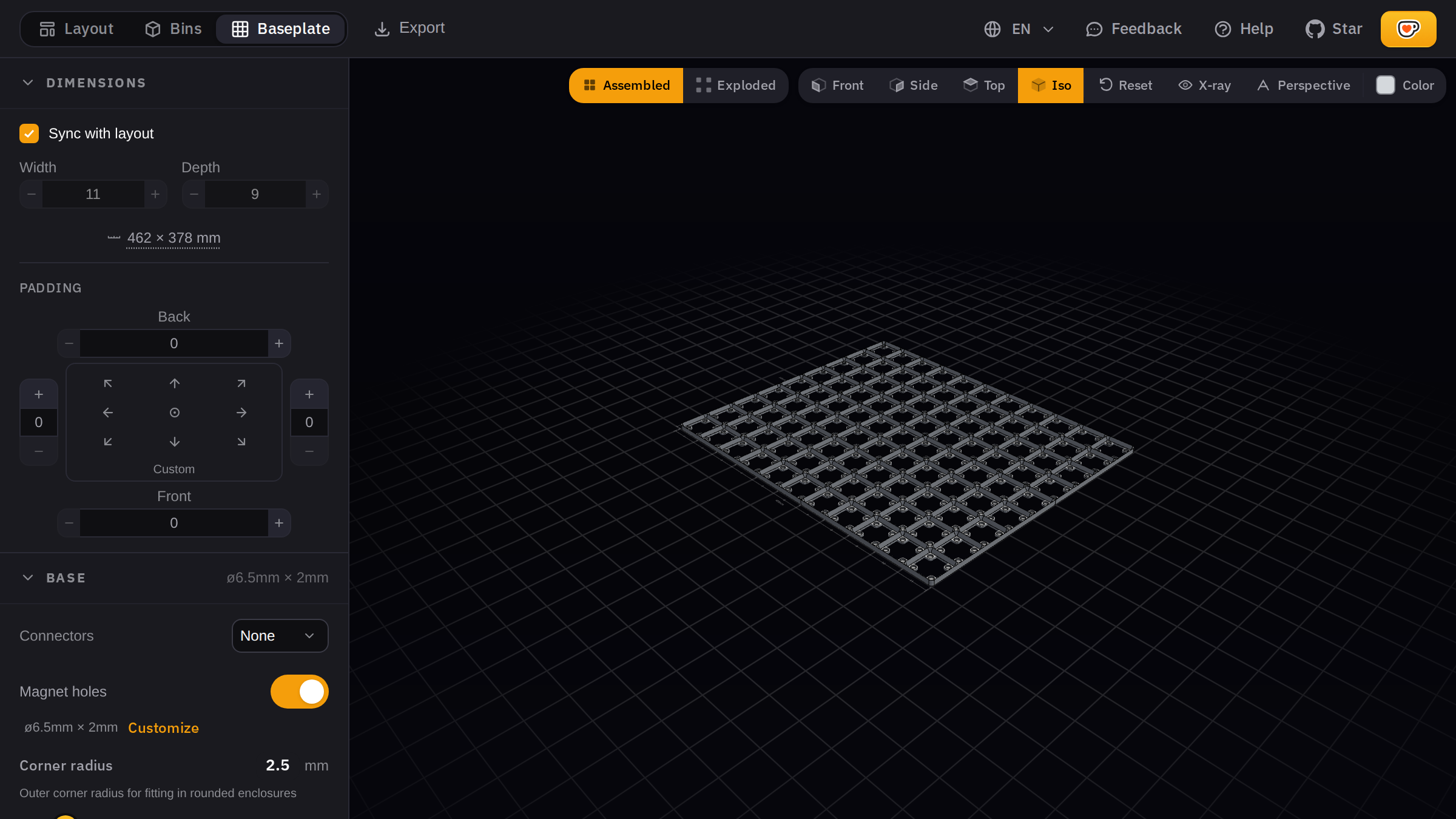
A parametric baseplate generator that runs in your browser. Set your grid size, configure magnet holes and edge padding, check the 3D preview, and download an STL, STEP, or 3MF file. Nothing to install. Part of the Gridfinity Generator suite, which also includes the bin generator and the layout planner.
How It Works
- Set your size. Pick width and depth in grid units, or sync with your existing layout to match your drawer automatically.
- Configure features. Enable magnet holes for magnetic attachment, add connector nubs for half-cell alignment, and set edge padding per side.
- Check the preview. The 3D view updates instantly as you change settings. Rotate and zoom to see every angle.
- Download and print. Export as STL for your slicer, STEP if you want to edit in CAD, or 3MF for color and material support. Large baseplates split automatically.
All processing happens locally. Your designs stay on your device unless you share them.
Features
Grid sizing. Set the baseplate to any width and depth in standard Gridfinity grid units (42mm each). Sync with your layout to automatically match your drawer dimensions.
Magnet holes. Add 6mm × 2mm cavities at each grid intersection for standard neodymium magnets. Bins snap securely to the baseplate without sliding.
Connector nubs. Half-cell pegs at grid intersections help align bins precisely, especially useful with half-bin mode for 0.5-unit precision.
Edge padding. Configure padding on each side independently — left, right, front, and back. Fine-tune the fit so the baseplate sits flush in your drawer with no gaps or interference.
Automatic split. Baseplates larger than your print bed are automatically split into printable pieces. Download a ZIP with all pieces ready to print and assemble.
Export Formats
| Format | When to Use It |
|---|---|
| STL | Send it straight to your slicer. Works with PrusaSlicer, Cura, OrcaSlicer, and everything else. |
| STEP | Open in Fusion 360, FreeCAD, or SolidWorks to make further edits before printing. |
| 3MF | Includes color and material metadata. Good for multi-material printers. |
Next Steps
Need custom bins to go with your baseplate? Use the bin generator to create bins with compartments, cutouts, and label tabs. Plan your whole drawer with the layout planner, or check the sizes reference to figure out your dimensions.
New to the system? How the Gridfinity system works covers baseplates, bins, and the 42mm grid from the beginning.